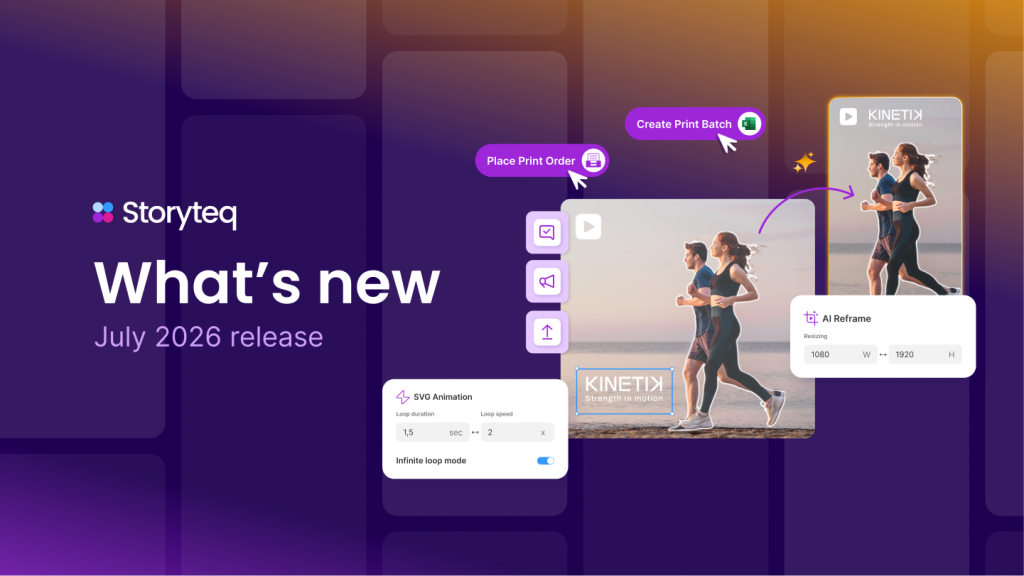



Automated creative versioning transforms a single creative template into multiple variations tailored for different audience segments. This technology enables brands to personalize marketing assets at scale by modifying elements like images, text, and offers based on audience characteristics, behaviors, or preferences. By automating this process, marketers can deliver relevant content to diverse audiences without the time-consuming manual work traditionally required for each variation.
What is automated creative versioning and why does it matter?
Automated creative versioning is a technology that generates multiple variations of marketing assets from a single master template, customizing elements for different audience segments automatically. Rather than manually creating dozens or hundreds of ad versions, you define variable elements and rules that determine how content adapts to specific audiences.
This matters because personalization has become essential in modern marketing. When audiences receive content tailored to their specific needs and preferences, engagement and conversion rates significantly improve. Generic, one-size-fits-all approaches increasingly fall flat in an environment where consumers expect relevant experiences.
Automated versioning addresses two critical challenges: the demand for personalized content and the resource limitations that make manual versioning impractical. By streamlining the production process, it enables marketing teams to deliver personalized experiences at scale without proportionally increasing workload or costs.
How does audience segmentation work with creative automation?
Audience segmentation in creative automation begins with analyzing customer data to identify distinct groups with common characteristics. These segments can be based on demographics (age, location, income), behaviors (purchase history, browsing patterns), psychographics (interests, values), or their position in the customer journey.
Creative automation platforms integrate with your customer data systems to access these audience insights. The platform then applies rules that determine which creative elements should change based on segment characteristics. For example:
- A clothing retailer might show different product images based on customer gender or previous purchase categories
- A travel company could display destination imagery based on browsing history or past bookings
- A software company might adjust messaging based on whether a prospect is in awareness, consideration, or decision stage
The key advantage is that once these rules are established, the platform automatically generates the appropriate creative variation when it recognizes which segment a viewer belongs to, eliminating the need for manual selection or creation of different versions.
What elements of creative assets can be automatically versioned?
Almost any element within a creative asset can be dynamically changed through automated versioning. The most commonly modified elements include:
- Images and videos – Different visuals can be shown based on audience preferences, demographics, or location
- Text and messaging – Headlines, body copy, and calls-to-action can be customized to resonate with specific segments
- Colors and design elements – Visual themes can adapt to audience preferences or campaign requirements
- Offers and promotions – Special deals can be personalized based on customer value or interests
- Product features – Different benefits can be highlighted based on what matters most to each segment
- Languages and cultural references – Content can be automatically localized for different regions
- Layout and formatting – The arrangement of elements can change based on device type or audience preferences
For example, a fitness brand might use the same basic ad template but automatically adjust images to show different types of workouts, change text to emphasize various benefits, and modify offers based on whether someone is a newcomer or experienced fitness enthusiast—all while maintaining consistent branding throughout.
How do you set up an effective automated versioning workflow?
Setting up an effective automated creative versioning workflow involves several key steps:
- Define your audience segments – Identify meaningful groups within your target audience based on data and insights
- Design flexible master templates – Create base designs with clearly defined variable elements that can be dynamically changed
- Establish versioning rules – Define the logic that determines how elements change based on audience characteristics
- Prepare variant assets – Develop the different versions of text, images, and other elements that will be swapped in
- Set up data connections – Integrate your audience data sources with your creative automation platform
- Test thoroughly – Verify that all variations render correctly across platforms and devices
- Implement tracking – Ensure analytics are in place to measure performance of different versions
The most effective workflows balance personalization with efficiency. Rather than trying to create unique versions for every possible segment combination, focus on the variables that will have the greatest impact on engagement and conversion. This targeted approach delivers the benefits of personalization without creating overwhelming complexity.
What results can brands expect from automated creative versioning?
Brands implementing automated creative versioning typically see improvements across several key metrics:
Performance improvements: Personalized creative typically delivers higher engagement rates (clicks, views, interactions) and improved conversion rates compared to generic creative. This improvement stems from increased relevance to each audience segment.
Production efficiency: Marketing teams can produce significantly more creative variations in less time. What might have taken weeks of design work can be accomplished in hours, allowing for more testing and optimization.
Market responsiveness: Brands can quickly adapt to market changes, seasonal trends, or competitive pressures by updating templates rather than recreating entire campaigns.
Brand consistency: Despite creating numerous variations, automated versioning helps maintain consistent branding since all versions derive from approved master templates.
Budget optimization: By showing more relevant creative to different audiences, brands typically see improved return on ad spend and lower cost-per-acquisition across channels.
While results vary by industry and implementation quality, brands frequently report being able to create 5-10 times more creative variations while reducing production time by 50-80%.
At Storyteq, we’ve developed a creative automation platform that makes it easy to generate unlimited personalized content instantly. Our solution helps you turn creative projects into dynamic templates, generate media in batches, and manage the review process efficiently. If you’re looking to scale your creative production while maintaining quality and relevance across different audience segments, request a demo to see how our platform can transform your creative workflow.
Frequently Asked Questions
How long does it typically take to implement an automated creative versioning system?
Implementation timelines vary based on your existing tech stack and complexity of needs, but most companies can expect 4-8 weeks for full integration. The first phase involves template creation and basic rule setup (1-2 weeks), followed by data integration (2-3 weeks), and finally testing and optimization (1-3 weeks). Many platforms offer quick-start options that allow you to begin with simpler versioning rules while building toward more complex implementations over time.
What are the most common mistakes companies make when starting with automated versioning?
The biggest pitfall is creating too many variations without strategic purpose, leading to ‘personalization paralysis.’ Other common mistakes include inadequate audience data quality, overly complex templates that break during versioning, insufficient testing across platforms, and failing to measure version performance separately. Start with a focused approach targeting your highest-value segments and clearest differentiators, then expand gradually as you confirm what works.
How do you balance personalization with brand consistency across numerous automated versions?
Establish clear brand guidelines for all variable elements before beginning automation. Create a ‘modular brand framework’ that defines which elements must remain constant (logos, key messaging, tone) and which can flex (images, offers, secondary messages). Most successful implementations use brand-approved ‘variation ranges’ rather than unlimited options. Regular creative reviews of auto-generated versions and performance monitoring help ensure personalization enhances rather than dilutes brand identity.
What technical skills does my team need to manage an automated creative versioning system?
Modern platforms are increasingly user-friendly, requiring minimal technical expertise for day-to-day operations. Your marketing team will need basic template management skills, an understanding of audience segmentation principles, and ability to interpret performance analytics. While initial setup may benefit from a technical resource familiar with APIs and data integration, ongoing management is typically handled by creative and marketing teams. Most vendors offer training programs to quickly upskill existing staff.
How do you test which creative elements have the most impact when personalizing for different segments?
Implement a methodical testing approach starting with A/B tests of single variables (like headlines or images) across segments. Once you identify high-impact elements, progress to multivariate testing of element combinations. Establish clear KPIs for each segment before testing, as success metrics may differ between audience groups. Most automation platforms include testing capabilities, but for advanced analysis, consider integration with dedicated testing tools that offer statistical significance calculations and recommendation engines.
Can automated creative versioning work for video content or just static assets?
Modern automated versioning absolutely works for video content, not just static assets. Advanced platforms can dynamically change video elements including text overlays, product images, spokesperson segments, background scenes, music, and even narrative structure based on audience data. While video versioning requires more upfront planning and modular content creation, the engagement benefits are typically even greater than with static content. Start with simpler video personalization like customized intros/outros before progressing to fully modular video experiences.
What metrics should we track to measure the success of our automated versioning efforts?
Beyond standard engagement metrics (CTR, conversion rates), track segment-specific performance variations to identify which personalization elements deliver the greatest impact for each audience. Measure production efficiency metrics like time-to-market and creative output volume compared to pre-automation baseline. Track template effectiveness by monitoring which master templates generate the highest-performing variations. Finally, measure the impact on customer experience through segment-specific satisfaction scores, repeat engagement rates, and journey progression metrics.