

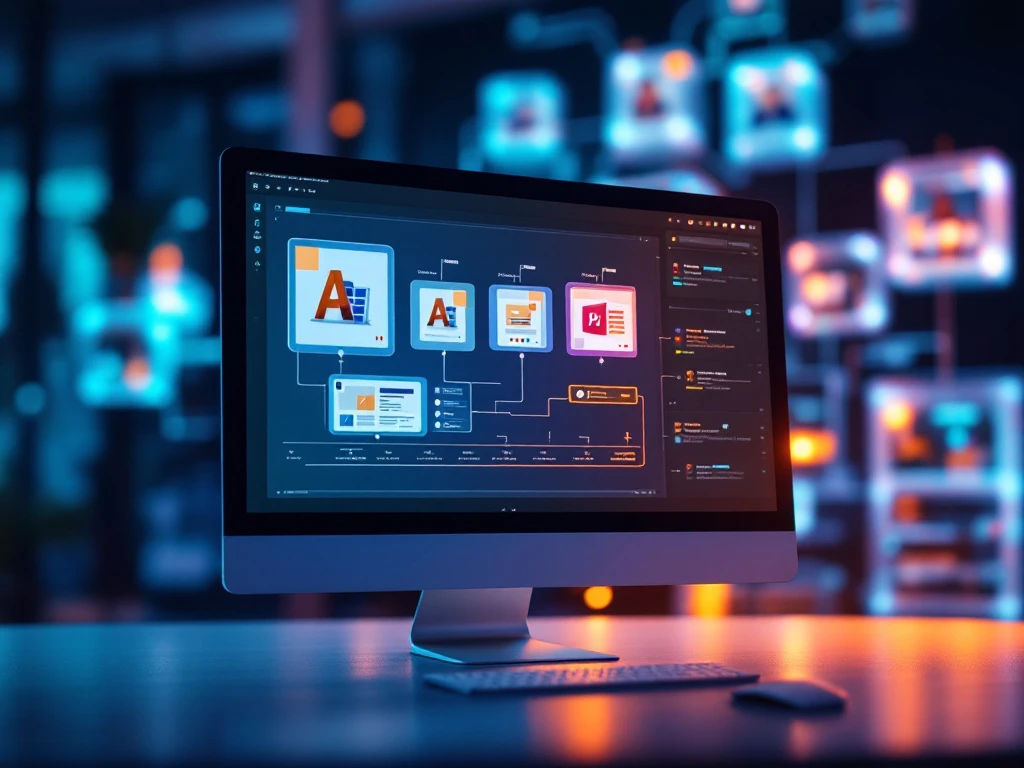
Digital Asset Management (DAM) software handles version control for creative assets by maintaining a complete history of file modifications while organizing different iterations in a structured system. This approach allows teams to track changes, compare versions, revert to previous states when needed, and ensure everyone accesses the most current assets. Advanced DAM systems automate this process with features like automatic version numbering, change logs, and approval workflows that eliminate manual tracking methods.
What is version control in DAM software?
Version control in DAM software is a systematic approach to tracking and managing changes made to creative assets throughout their lifecycle. It creates and maintains a comprehensive historical record of file modifications, including who made changes, when they occurred, and what specifically was altered. Unlike basic file storage systems, DAM version control preserves every iteration of an asset while organizing them in a structured, easily navigable system.
This functionality serves as the foundation for creative collaboration by preventing accidental overwrites and providing transparency into asset evolution. When a designer uploads a new version of a logo or marketing material, the DAM doesn’t replace the original file—it stores both versions while establishing a clear relationship between them. This creates an unbroken chain of asset development that teams can navigate to understand how files have evolved over time.
How does DAM software track changes to creative assets?
DAM software tracks changes to creative assets through a combination of metadata recording, file comparison algorithms, and user action logging. When a new version is uploaded, the system automatically documents who submitted it, when it was created, and assigns a sequential version number or identifier. The DAM then stores this information alongside the file itself, creating a comprehensive audit trail of the asset’s development history.
Modern DAM systems go beyond basic tracking by implementing:
- Metadata analysis – Recording detailed information about file properties, dimensions, formats, and even creative elements
- Change documentation – Allowing users to add notes explaining modifications made in each version
- Visual comparison tools – Enabling side-by-side review of different versions to identify specific changes
- Automated notifications – Alerting relevant team members when assets are modified
- Revision timelines – Creating visual representations of an asset’s evolution over time
This technical infrastructure ensures that no change goes undocumented, providing both accountability and visibility throughout the creative process. The best systems make this complex tracking virtually invisible to users while maintaining a complete record behind the scenes.
What benefits does version control offer creative teams?
Version control in DAM software offers creative teams significant workflow improvements through enhanced collaboration, reduced errors, and streamlined approvals. By maintaining a single source of truth for all asset versions, teams eliminate the confusion of scattered files across email threads, shared drives, and messaging platforms. This centralization ensures everyone works with the correct assets regardless of their location or time zone.
The most important benefits include:
- Error prevention – Eliminating the risk of working on outdated files or accidentally overwriting changes
- Creative freedom – Allowing designers to experiment without fear of losing previous work
- Simplified approvals – Creating clear workflows that move assets through review stages
- Time savings – Reducing the need to recreate work or search for the latest versions
- Improved compliance – Maintaining records of changes for regulatory or brand guideline adherence
For global brands managing thousands of assets across multiple markets, these benefits translate into significant time and cost savings. When teams can instantly access asset histories, understand what’s changed between versions, and confidently identify the most current files, production bottlenecks disappear and creative output increases without sacrificing quality or consistency.
How do you implement effective version control practices?
To implement effective version control practices with DAM software, start by establishing clear naming conventions and version identification standards. Create a system where file names include identifiers for the project, asset type, version number, and date. This foundation makes it immediately obvious which version is most current and how assets relate to one another without opening each file.
Follow these actionable steps to maximize your version control effectiveness:
- Define standard version increments (major changes vs. minor revisions)
- Create required fields for version notes to explain what changed and why
- Establish clear approval workflows that advance assets through stages
- Train team members on proper check-in/check-out procedures
- Implement automated notifications for key stakeholders when versions change
- Regularly audit your version history to identify improvement opportunities
Communication is crucial for successful implementation. Ensure all team members understand the version control system and their role in maintaining it. Document your processes clearly and make this documentation easily accessible. When everyone follows the same structured approach, version control becomes second nature rather than an administrative burden.
What features should you look for in DAM version control?
When evaluating DAM software for version control capabilities, look for systems that offer automated version tracking with minimal user intervention. The best solutions automatically detect when a new version is being uploaded and prompt for relevant change information rather than requiring manual version creation. This automation ensures consistent version control even during fast-paced production cycles.
Essential version control features to prioritize include:
- Visual comparison tools that show differences between versions side-by-side
- Version restoration that allows instant reversion to any previous state
- Branching capabilities for creating alternate versions without disrupting the main asset
- Metadata inheritance that carries forward relevant information between versions
- Integration with creative tools that enables version control directly from applications like Adobe Creative Suite
- Granular permission settings that control who can create or approve new versions
- Comprehensive audit trails documenting the complete lifecycle of each asset
Additionally, consider how the DAM handles version control across different file types. Look for systems that maintain relationships between source files and their derivatives, allowing you to trace how a master image relates to various sized renditions used across channels and campaigns.
Conclusion
Effective version control is the backbone of successful creative asset management, providing structure and visibility that empowers teams to work confidently and efficiently. By implementing robust version control practices within your DAM system, you create a reliable foundation for creative collaboration that scales with your organization’s needs.
At Storyteq, we’ve designed our Content Marketing Platform with powerful version control capabilities that streamline creative workflows while maintaining complete asset histories. Our Digital Asset Management solution ensures your team always has access to the right assets at the right time, eliminating version confusion and accelerating campaign delivery.
Ready to see how our DAM software can transform your creative asset management with advanced version control? Request a demo today to experience the difference firsthand.
Frequently Asked Questions
How do I transition from a traditional file storage system to a DAM with version control?
Start by conducting an asset audit to identify what files need migration and how they should be organized. Next, establish your metadata structure and version naming conventions before importing assets. Many DAM platforms offer migration tools or services to assist with bulk uploads while preserving file relationships. Plan for a phased approach, beginning with your most critical or active assets, and provide training to team members before full implementation. During transition, maintain both systems temporarily to ensure no work is disrupted while teams adapt to the new workflow.
What's the difference between versioning and creating separate assets in a DAM?
Versioning tracks iterations of the same conceptual asset while maintaining relationships between each version, creating a linear history of changes. Creating separate assets, on the other hand, establishes independent files with no formal connection in the system. Use versioning when you’re evolving the same asset (like refining a logo design) and need to track those changes. Create separate assets when files serve different purposes or represent distinct concepts, even if they look similar. The key difference is that versioning preserves the complete evolution history, making it possible to revert to previous states or understand how an asset developed over time.
How can we maintain version control when external partners or freelancers need to work on our assets?
Provide external collaborators with limited-access DAM accounts that have specific permissions for the assets they need to work with. Configure your system to automatically create new versions when they upload modifications rather than allowing direct overwriting. Establish clear guidelines for how they should document their changes in version notes. For ongoing partnerships, consider setting up approval workflows where external uploads remain as drafts until reviewed by internal team members. This approach maintains your version control integrity while enabling efficient collaboration with outside resources.
What are common mistakes organizations make with DAM version control?
The most frequent mistakes include inconsistent version naming conventions, failing to require meaningful change documentation, and not establishing clear guidelines on what constitutes a new version versus a new asset. Many teams also struggle with overly complex approval workflows that create bottlenecks, or conversely, too few controls that lead to version proliferation. Another common issue is neglecting to archive or prune outdated versions, which can create system clutter. To avoid these pitfalls, develop clear version control policies, regularly review your version histories for improvement opportunities, and balance automation with meaningful human oversight.
How does DAM version control handle different file types and formats?
Advanced DAM systems can maintain version relationships across different file formats of the same asset. For example, when you update a Photoshop master file, the system can automatically generate and track versions of derivative formats (JPEG, PNG, etc.). Look for DAMs that support format-specific preview generation and comparison tools. Some systems offer specialized handling for complex file types like video, 3D models, or layered design files. When evaluating DAM solutions, verify their capabilities for the specific file types your team uses most frequently, as support varies significantly between platforms.
How can we measure the ROI of implementing version control in our DAM system?
Track metrics that demonstrate efficiency gains and error reduction, such as time spent searching for assets, instances of work being done on outdated versions, and reduction in duplicate asset creation. Calculate time savings from automated version tracking versus manual methods, and measure decreased approval cycle times. For more comprehensive ROI analysis, include factors like reduced risk of using incorrect assets in campaigns, faster time-to-market for creative projects, and improved team collaboration. Consider conducting before-and-after surveys with your creative team to capture qualitative improvements in workflow satisfaction and productivity.
Can DAM version control integrate with other creative and marketing tools?
Yes, modern DAM systems offer extensive integration capabilities with creative tools and marketing platforms. Look for direct plugins for Adobe Creative Cloud that allow designers to check out, edit, and check in new versions without leaving their design applications. Integration with project management tools can automatically update task statuses when versions change or receive approval. Marketing automation platforms can be configured to always pull the latest approved versions of assets for campaigns. When evaluating integrations, prioritize those that maintain version integrity across systems and reduce manual steps in your creative workflow.