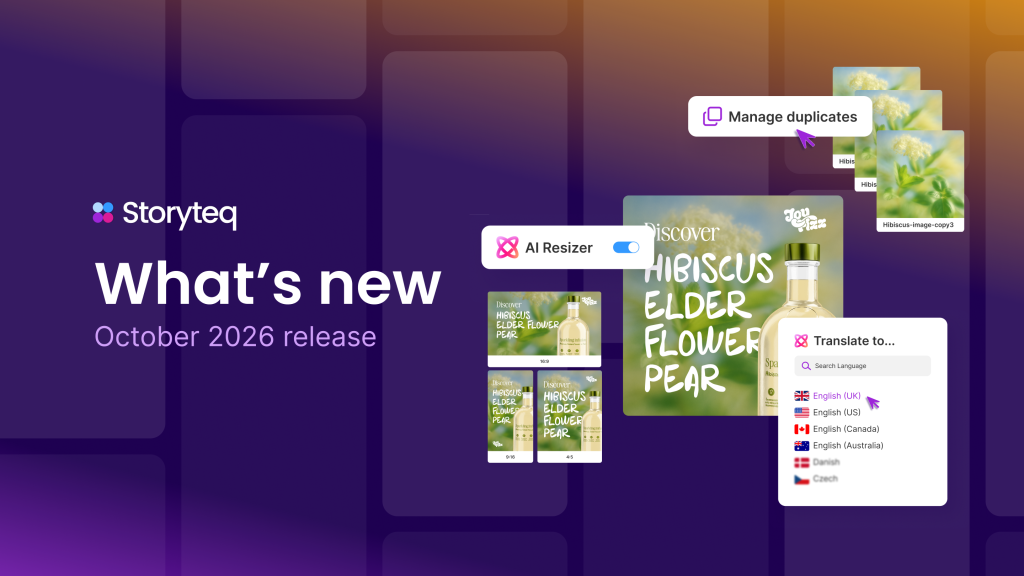
You automate campaign adaptations by using dynamic templates and rules-based logic to automatically resize, reformat, and repurpose creative assets for each channel, audience, or market without rebuilding them from scratch. Instead of producing separate versions of every ad manually, automation tools pull from a single master template and apply channel-specific specifications in bulk. The sections below walk through the mechanics, the tools involved, and how to keep quality consistent at scale.
What does automating campaign adaptations actually involve?
Automating campaign adaptations means using software to generate multiple versions of a creative asset from a single source, applying different dimensions, copy, imagery, or messaging rules for each target channel or audience segment automatically. The process removes the need for a designer to manually rebuild each variant by hand.
At its core, the workflow works like this: a master template defines the structure of the creative, including layout zones, font rules, and brand guidelines. Variables such as headline text, product image, CTA, or language are then mapped to data feeds or rules. When the automation runs, it populates those variables and exports the correct output for each channel specification.
This approach applies across several common adaptation scenarios:
- Resizing a single display ad into every standard IAB format
- Localizing a campaign across multiple languages or regions
- Swapping product images or offers for different audience segments
- Reformatting a horizontal video into a square or vertical cut for social platforms
- Generating seasonal or promotional variants without rebuilding the base design
The result is a scalable production pipeline where creative teams define the rules once and let the system handle the volume.
Which channels require the most distinct creative adaptations?
Paid social, video platforms, and display advertising require the most distinct creative adaptations because each has rigid technical specifications and different audience behavior patterns that affect how content needs to be structured and formatted.
Paid social channels such as Instagram, TikTok, and LinkedIn each have different aspect ratio requirements, safe zones for text, and content norms. A campaign asset built for a LinkedIn feed placement will not perform well, or may not even render correctly, on a TikTok or Instagram Stories placement without significant structural changes.
Video is particularly demanding. A 30-second horizontal brand video needs to become a 15-second vertical cut for Stories, a 6-second bumper for pre-roll, and potentially a square format for feed placements. Each version needs to communicate the core message within its time and format constraints, which often means rethinking the edit rather than simply cropping.
Display advertising adds another layer of complexity. Standard display campaigns can require 10 to 20 size variations per creative concept, and dynamic display ads may need to pull product data in real time. Email, out-of-home, and print each have their own resolution, dimension, and file format requirements. Across all of these, the channel-specific content demands multiply quickly without automation in place.
How do dynamic templates enable cross-channel content automation?
Dynamic templates enable cross-channel content automation by separating the fixed design structure of a creative from its variable content elements, allowing the system to swap, resize, and reformat those elements automatically according to predefined rules for each channel.
A dynamic template contains locked brand elements such as logo placement, color palette, and typography, alongside flexible zones where content can change. These flexible zones accept inputs from a connected data feed, a product catalog, or a campaign brief. When the template is rendered, the system reads the channel specification and the variable inputs and produces the correct output without manual intervention.
This matters for multi-channel marketing automation because it decouples creative production from creative volume. A team can design one strong template and use it to generate hundreds of channel-specific variants. Changes to the master template, such as a brand refresh or an updated disclaimer, propagate automatically to all variants rather than requiring each file to be updated individually.
Dynamic templates also support conditional logic. For example, a template can be configured to display a different product image depending on the audience segment, show a localized CTA based on the market, or apply a different color scheme for a seasonal promotion. This level of flexibility makes dynamic templates the foundation of any serious creative automation strategy.
What’s the difference between manual and automated campaign adaptation workflows?
The core difference between manual and automated campaign adaptation workflows is where the production effort sits. Manual workflows require a designer to produce each variant individually, while automated workflows shift that effort to the setup of templates and rules, after which the system generates variants without additional design time per asset.
Manual adaptation workflows
In a manual workflow, each channel variant is built as a separate file. A designer takes the approved master creative and rebuilds it for each required format, adjusting layouts, retyping copy, and exporting files one by one. Review and approval cycles repeat for each version. When a change is requested, every file needs to be updated separately.
This process is time-intensive and error-prone. The more channels and markets a campaign covers, the more the workload multiplies. Teams often face bottlenecks at the production stage, which delays campaign launches and limits how many adaptations are realistically possible within a given timeline.
Automated adaptation workflows
In an automated workflow, the design effort is concentrated at the template level. Once a template is approved and rules are configured, the system generates all required variants on demand. A single change to the master template updates all downstream versions. Reviews and approvals can be handled within the same platform, and assets can be delivered directly to ad platforms or digital asset management systems.
The practical difference shows up in production speed and team capacity. Automated workflows allow creative teams to focus on the quality and strategy of the master creative rather than spending time on repetitive resizing and reformatting tasks.
How do you maintain brand consistency when adapting content at scale?
You maintain brand consistency when adapting content at scale by locking brand-critical elements within your templates and controlling which elements can vary. When the template enforces font choices, color values, logo placement, and spacing rules, those standards apply automatically to every variant the system produces.
The most reliable approach combines template governance with a clear asset library. Brand-approved imagery, icons, and copy components are stored centrally and referenced by the templates. This means no designer needs to locate the correct logo version or approved product shot manually. The system pulls from the approved source every time.
Approval workflows also play an important role. Even in an automated pipeline, a review step before final delivery catches any variant where variable content has created an unexpected layout conflict or off-brand result. Building that checkpoint into the workflow, rather than relying on a final manual review of every file, keeps the process efficient while maintaining quality control.
Brand portals support this further by giving regional teams and agency partners access to pre-approved templates and assets. Local teams can adapt campaigns for their market within the bounds the brand has defined, without the risk of introducing inconsistencies.
What tools are used to automate campaign adaptations?
The tools used to automate campaign adaptations typically fall into three categories: creative automation platforms, digital asset management systems, and ad delivery integrations. Most effective setups combine elements from all three to cover the full production and distribution pipeline.
Creative automation platforms are the core engine. They provide the dynamic template builder, the rules engine, and the rendering infrastructure that generates variants at scale. These platforms connect to data feeds, allow conditional logic within templates, and handle bulk exports across formats.
Digital asset management systems serve as the central library for approved brand assets. They ensure that templates always reference the correct, up-to-date version of an image, logo, or copy block, and they provide the governance layer that keeps brand standards in place across teams and regions.
Ad delivery integrations connect the output of the automation platform directly to paid media channels, reducing the manual steps involved in uploading and trafficking ads. Direct API connections to platforms such as Meta, Google, or programmatic ad networks allow completed variants to be pushed live without exporting and re-uploading files manually.
Workflow management and review tools complete the picture by handling feedback, approvals, and versioning within the same environment, so production teams are not switching between disconnected systems to move an asset from brief to delivery.
How Storyteq helps you automate campaign adaptations
We built our platform specifically to solve the production challenges that come with adapting campaigns across multiple channels, markets, and audience segments. Our Creative Automation Platform gives marketing and creative teams the tools to generate channel-specific content at scale without sacrificing quality or brand control.
- Dynamic ad templates that lock brand elements and allow controlled variation across formats, languages, and audience segments
- Bulk rendering that produces hundreds of ad variants from a single master template in a fraction of the time manual production requires
- Reviews and approvals built directly into the workflow, so feedback and sign-off happen within the same platform rather than across disconnected tools
- Ad delivery integration that connects your completed variants directly to paid media platforms, removing the manual trafficking step
- Brand portals and digital asset management that give regional teams and partners access to approved assets and templates, keeping brand consistency in place across every market
If your team is spending too much time on repetitive adaptation work instead of focusing on creative strategy, we can show you how our platform changes that workflow. Request a demo to see how campaign adaptation at scale works in practice.