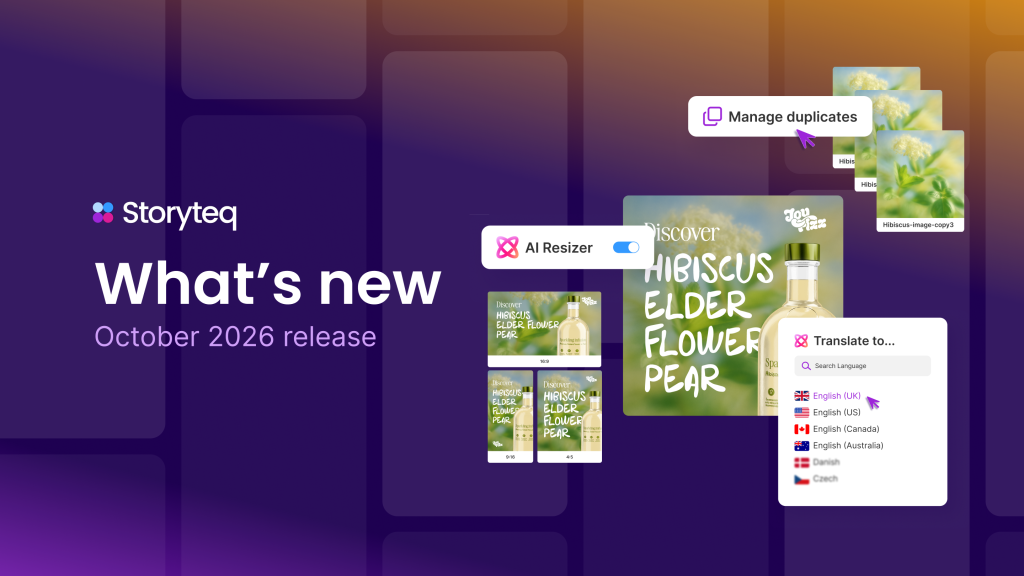
You can automate campaign rollouts from one master campaign by building a single, fully designed template that holds all your core creative assets, messaging structures, and brand rules, then using creative automation software to generate every variant from that single source. The master campaign acts as the production blueprint, and automation handles the scaling work, swapping in different copy, visuals, formats, or localizations without manual rebuilding. The sections below walk through how each part of that process works in practice.
What does it mean to roll out campaigns from a master template?
Rolling out campaigns from a master template means creating one authoritative version of a campaign that contains all the dynamic elements, brand guidelines, and structural rules your team needs, then using that single file to produce every format, language, market, or channel variant automatically. Instead of building each ad or asset individually, your team builds once and deploys everywhere.
The master campaign typically includes locked brand elements such as logo placement, typography, and color palettes, alongside dynamic fields that automation can populate. Those dynamic fields might hold product names, pricing, regional copy, or audience-specific messaging. When the automation engine runs, it reads those fields and generates finished assets by filling in the variables according to rules your team defines in advance.
This approach removes the repetitive production work that traditionally slows creative teams down. Rather than briefing a designer every time a new market or format is needed, the master template handles the logic, and your team focuses on strategy and quality control instead.
How does creative automation handle variant generation at scale?
Creative automation handles variant generation at scale by connecting a master template to a data source or rules engine, then rendering every possible combination of variables as finished, production-ready assets. The process is non-destructive, meaning the master template stays intact while the automation layer produces as many variants as the campaign requires.
In practice, the automation engine reads a feed or spreadsheet containing the variables for each variant, such as a headline, image, call-to-action, language, or product reference. It then applies those values to the corresponding dynamic fields in the template and renders a finished asset for each row or combination. A campaign targeting five markets in three formats with two headline options could produce thirty distinct assets in the time it would take a designer to manually create two or three.
More advanced automation platforms also apply conditional logic, so the template can behave differently depending on the input. For example, a longer headline might trigger a different text layout, or a specific market might pull a locally approved image rather than the global default. This kind of rule-based rendering keeps every variant on-brand without requiring manual intervention for each output.
What types of campaigns are best suited for master-template rollouts?
Campaigns that involve high volume, repetition across markets or audiences, and consistent brand structure are best suited for master-template rollouts. If a campaign requires the same creative concept to appear in multiple formats, languages, or regional versions, a master template approach delivers the greatest efficiency gain.
The following campaign types benefit most from this model:
- Retail and promotional campaigns that run across multiple markets with localized pricing, product names, or offer dates
- Always-on advertising such as paid social or display campaigns that need continuous refreshes to avoid creative fatigue
- Seasonal campaigns where the same creative concept runs across a large portfolio of products or categories
- Localization campaigns that require the same message translated and adapted for different regions, languages, or regulatory requirements
- Personalized campaigns that serve different creative to different audience segments based on behavior, demographics, or purchase history
Campaigns that rely heavily on one-off, bespoke creative concepts with no repeating structure are less suited to this model. However, even those campaigns often contain elements such as end cards, disclaimers, or format resizes that can benefit from template-based automation at the production stage.
How do approvals and reviews work across automated campaign variants?
Approvals and reviews across automated campaign variants work by separating the review of the master template from the review of individual outputs. Teams approve the master design, brand rules, and dynamic logic first. Once that approval is in place, variants generated from it inherit that approval, which means reviewers only need to check exceptions or spot-check outputs rather than approving every single asset individually.
Most creative automation platforms include built-in review and approval workflows that let stakeholders comment directly on assets, mark items as approved or rejected, and track the status of each variant in a centralized dashboard. This removes the need for lengthy email chains or manual version tracking.
For campaigns with regulatory requirements, such as financial services or pharmaceutical advertising, teams can build compliance rules directly into the master template so that restricted language or mandatory disclaimers are always present. Reviewers then focus their attention on the variable elements rather than rechecking fixed compliance content on every variant. This tiered review approach significantly reduces the time from production to launch without lowering the quality bar.
What tools and integrations are needed to automate campaign rollouts?
Automating campaign rollouts from a master campaign requires a creative automation platform, a structured data source for variant inputs, and integrations with the channels or ad platforms where the content will be distributed. These three components work together to take a campaign from a single template to live, distributed assets.
Creative automation platform
The core tool is a creative automation platform that can read dynamic templates, connect to data inputs, render variants at scale, and manage the review and approval process. The platform should support the file formats your team works in and the output specifications required by your distribution channels.
Data sources and content feeds
Variant generation depends on structured data. This might be a product feed, a localization spreadsheet, a CRM segment export, or a content management system. The cleaner and more structured the data, the more reliably the automation engine can produce accurate, on-brand outputs. Teams that invest time in organizing their data inputs before building templates see significantly faster production cycles.
Ad delivery and distribution integrations
Once variants are produced and approved, they need to reach the right channels. Direct integrations with ad platforms, digital asset management systems, and content delivery networks allow automated distribution without manual uploading. This closes the loop between creative production and campaign activation, reducing the risk of version errors or missed placements.
How do you maintain brand consistency across all rolled-out variants?
You maintain brand consistency across all rolled-out variants by encoding your brand rules directly into the master template rather than relying on individual designers to apply them manually on each asset. When brand standards are built into the template structure, every variant that the automation engine produces inherits those standards automatically.
Consistency is enforced through several mechanisms within the template itself:
- Locked elements such as logos, brand colors, and approved typefaces that automation cannot override
- Defined safe zones that control where dynamic content can appear without interfering with fixed brand elements
- Approved asset libraries that restrict which images, icons, or illustrations the automation can pull from
- Typography rules that specify font size ranges, character limits, and fallback behavior when copy exceeds the available space
Brand portals and digital asset management systems support this further by giving regional teams and partners access only to approved, up-to-date assets. When the global team updates a brand element in the master template, those changes flow through to all future variants automatically. This removes the version drift that commonly occurs when teams work from locally saved files rather than a centralized source of truth.
How Storyteq helps you automate campaign rollouts
We built our platform specifically to solve the challenge of scaling campaigns from a single master without sacrificing speed, quality, or brand control. Here is what we provide to support end-to-end campaign rollout automation:
- Ad Engine: Generate unlimited on-brand variants from one master template across every format and channel, with dynamic fields connected to your data sources
- Reviews and Approvals: Streamline feedback and sign-off with built-in workflows that let stakeholders review, comment, and approve directly within the platform
- Ad Delivery Integration: Push approved assets directly to ad platforms and distribution channels without manual uploading or version management
- Digital Asset Management: Centralize your approved assets and brand materials so every variant pulls from a single, controlled library
- Brand Portals: Give regional teams and partners access to the right templates and assets while keeping global brand standards locked in place
- Content Automation: Connect campaign planning, production, and distribution in one workflow so nothing falls through the gaps between teams
If you want to see how a master-template approach works in practice for your campaigns, request a demo and we will walk you through exactly how our platform handles your specific use case.