


Managing digital assets efficiently becomes more challenging as your marketing operations grow. Without a properly scalable digital asset management strategy, teams waste hours searching for files, recreating existing content, and struggling to maintain brand consistency across channels. This guide will help you build a comprehensive DAM strategy that grows with your business needs.
Required Resources:
- Current digital asset inventory and storage locations
- Team access to evaluate existing workflows
- Budget allocation for DAM platform selection
- Stakeholder availability for governance framework development
- Basic project management tools for tracking progress
By completing this process, you’ll establish a centralized system that reduces content creation time, eliminates duplicate work, and supports your growing marketing demands across multiple channels and teams.
Why scalable digital asset management drives marketing efficiency
Scalable digital asset management transforms how marketing teams operate by creating a single source of truth for all content. When your digital assets live in fragmented systems, teams spend valuable time hunting for files, recreating existing content, and dealing with version control issues.
A well-structured DAM strategy significantly reduces content creation time. Teams can quickly locate approved assets, understand usage rights, and repurpose content for different channels without starting from scratch. This efficiency becomes more important as your content volume grows and more team members need access to brand materials.
Brand consistency improves dramatically with proper asset governance. When everyone accesses the same approved files and follows established guidelines, your messaging stays aligned across all touchpoints. This consistency builds stronger brand recognition and prevents costly mistakes from outdated or off-brand content.
Marketing demands continue to grow across channels and markets. A scalable DAM system supports this expansion by providing a structure that accommodates new content types, additional team members, and evolving workflow requirements without breaking down under increased volume.
Assess your current digital asset landscape
Start by conducting a comprehensive audit of your existing digital assets. Document every location where your team currently stores marketing materials, including shared drives, cloud storage, individual computers, and any existing DAM systems.
Create a spreadsheet listing each storage location, the types of assets it contains, who has access, and how frequently teams use these assets. This inventory reveals the scope of your consolidation challenge and helps identify your most valuable content.
Evaluate your current storage systems for capacity, search functionality, and collaboration features. Note pain points like slow upload speeds, limited file format support, or difficulty sharing assets with external partners. These limitations will inform your platform requirements.
Document existing asset usage patterns by interviewing team members about their daily workflows. Ask how they currently find files, what formats they need most often, and where they encounter delays. This information shapes your taxonomy and workflow design.
Success indicator: You have a complete inventory showing all asset locations, types, and usage frequency, plus documented workflow pain points from team interviews.
Identify content gaps and opportunities
Review your asset inventory to spot missing content types or outdated materials. Look for gaps in formats needed for different channels, such as social media sizes or video variations. These gaps often force teams to recreate content unnecessarily.
Analyze which assets get used most frequently and identify opportunities for better organization. High-usage content should be easily discoverable in your new system, while rarely used assets might need different storage approaches.
Define your asset taxonomy and governance framework
Develop standardized naming conventions that make sense to all team members. Create a clear format that includes essential information like asset type, campaign name, date, and version number. For example: “ProductLaunch_Hero_Image_2024Q1_v02.jpg”
Design your folder structure around how teams actually work, not just logical categories. Consider organizing by campaign, product line, or time period based on your team’s search patterns. Modern DAM systems use metadata and tags more than traditional folders, but logical groupings still help users navigate efficiently.
Create comprehensive metadata schemas that capture important asset information. Include fields for usage rights, expiration dates, target audience, channel specifications, and approval status. This metadata makes assets searchable and helps teams understand how they can use each file.
Establish clear access permissions that balance security with usability. Define user roles based on job functions and content needs. Marketing managers might need full access, while external agencies require limited permissions for specific campaigns.
Expert tip: Test your naming conventions and folder structure with actual team members before full implementation. What makes sense to you might confuse others who use the system daily.
Set up approval workflows
Map out your content approval process from creation to publication. Identify required review stages, approval authorities, and feedback collection methods. Your DAM system should support these workflows automatically rather than relying on email chains.
Define quality standards and brand guidelines that reviewers can reference during approval processes. Clear criteria speed up reviews and reduce subjective feedback that slows down production.
Choose the right digital asset management platform
Evaluate storage capacity requirements based on your current assets plus projected growth. Calculate not just file storage needs but also bandwidth for uploads, downloads, and preview generation. Factor in multiple file versions and backup requirements.
Assess integration capabilities with your existing marketing technology stack. Your DAM should connect with design tools, social media platforms, content management systems, and marketing automation software. Seamless integrations reduce manual file transfers and version control issues.
Test user interface design with actual team members who will use the system daily. The interface should feel intuitive to users with different technical skill levels. A system that’s difficult to navigate won’t get adopted, regardless of its advanced features.
Examine search functionality carefully, as this determines how quickly teams find needed assets. Look for features like predictive search, visual similarity matching, and advanced filtering options. The ability to search within file contents and metadata significantly improves efficiency.
Review workflow automation features that support your approval processes and content lifecycle management. The platform should handle routine tasks like resize generation, format conversion, and approval notifications without manual intervention.
Warning: Don’t choose a platform based solely on features. Consider ongoing costs, training requirements, and technical support quality, as these factors affect long-term success.
Evaluate scalability and performance
Test how the platform performs with your expected user load and file volumes. Request demonstrations with realistic data amounts rather than small sample libraries. Performance issues that seem minor during evaluation become major problems with full implementation.
Understand the platform’s upgrade path and pricing structure as your needs grow. Some systems charge per user, while others focus on storage volume. Choose pricing models that align with your expected growth patterns.
Implement automated workflows for asset lifecycle management
Configure automated processes for asset creation that generate required file formats and sizes automatically. When designers upload master files, the system should create web-optimized versions, social media formats, and other commonly needed variations without manual intervention.
Set up review and approval workflows that route content to appropriate stakeholders based on asset type and intended use. Legal review might be required for certain content, while routine social media posts follow simpler approval paths.
Automate distribution processes that deliver approved assets to designated channels or storage locations. Integration with publishing platforms allows for direct content distribution without downloading and re-uploading files.
Implement archiving procedures that automatically move outdated or expired content to archive storage. This keeps active libraries current while preserving historical assets for reference or compliance purposes.
Success indicator: Your workflows handle routine tasks automatically, with clear notifications when manual intervention is needed. Team members spend less time on file management and more time on creative work.
Monitor and optimize workflow performance
Track how long different approval processes take and identify bottlenecks that slow down content production. Automated reporting helps you spot patterns and optimize workflows based on actual usage data.
Regularly review and update automated processes as your team’s needs evolve. Workflows that worked for smaller teams might need adjustment as you scale operations or add new content types.
What metrics should you track for DAM success?
Monitor asset utilization rates to understand which content provides the most value. Track download frequency, usage across different channels, and content performance metrics. This data helps you focus creation efforts on high-impact asset types.
Measure search success rates by tracking whether users find what they’re looking for quickly. High abandonment rates in search suggest problems with taxonomy, metadata, or search functionality that need attention.
Calculate time-to-publish metrics from asset request to final distribution. Improvements in this metric indicate better workflow efficiency and reduced bottlenecks in your content production process.
Track user adoption statistics, including login frequency, feature usage, and training completion rates. Low adoption often signals usability issues or insufficient training that prevent teams from getting full value from the system.
Monitor storage growth and system performance to ensure your platform scales effectively with increased usage. Proactive capacity planning prevents performance issues that could disrupt marketing operations.
Expert tip: Focus on metrics that connect to business outcomes rather than just system usage. Improved brand consistency and faster campaign launches matter more than raw download numbers.
Building a scalable digital asset management strategy requires careful planning and systematic implementation, but the efficiency gains justify the investment. You now have a framework for auditing your current situation, establishing governance structures, selecting appropriate technology, and measuring success.
Your next step is to conduct the asset landscape assessment to understand your specific requirements and challenges. This foundational work ensures your DAM strategy addresses real workflow problems rather than theoretical improvements.
How Storyteq helps with scalable digital asset management
Storyteq provides a comprehensive creative operations platform that combines digital asset management with automated workflow orchestration and performance analytics. Our solution addresses the complete content lifecycle from creation to distribution, helping marketing teams scale their operations efficiently.
Key benefits include:
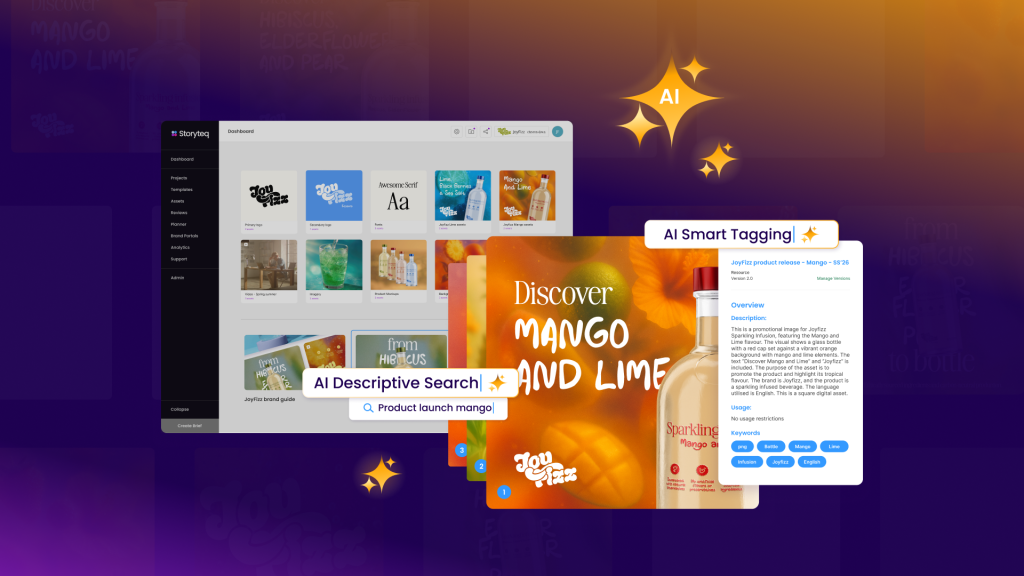
- Centralized asset library with intelligent search and AI-powered tagging
- Automated creative production workflows that generate multiple formats and variations
- Brand compliance tools that ensure consistency across all channels and markets
- Real-time collaboration features for distributed creative teams
- Performance tracking that connects asset usage to campaign outcomes
- Seamless integrations with existing marketing technology stacks
Ready to transform your digital asset management approach? Request a demo to see how Storyteq can support your scalable asset management goals and streamline your creative operations.
Frequently Asked Questions
How do I get buy-in from leadership for investing in a DAM platform?
Focus on quantifiable business impacts like time savings and reduced content creation costs. Calculate how many hours your team currently spends searching for assets and recreating existing content, then multiply by hourly rates to show potential savings. Present examples of brand consistency issues or missed deadlines caused by current asset management problems to demonstrate risk mitigation value.
What's the biggest mistake teams make when implementing a new DAM system?
The most common mistake is migrating all existing assets without proper organization or cleanup first. This transfers chaos from old systems into the new platform, making it just as difficult to find content. Always audit, clean up, and properly categorize assets before migration, even if it means starting with a smaller, well-organized library.
How do I handle resistance from team members who prefer their current file storage methods?
Start with a pilot group of early adopters and showcase quick wins before rolling out company-wide. Provide hands-on training that demonstrates how the new system solves their specific daily frustrations. Make the transition gradual by allowing parallel systems initially, but set clear deadlines for full migration to prevent permanent fragmentation.
Should I migrate all historical assets or start fresh with new content?
Take a hybrid approach based on asset value and usage frequency. Migrate high-value, frequently used assets first with proper metadata and organization. Archive older, rarely accessed content in a separate system for compliance purposes. This prevents overwhelming your new system with outdated content while preserving important historical materials.
How do I maintain data quality and prevent the system from becoming disorganized again?
Implement mandatory metadata fields and automated validation rules that prevent uploads without proper information. Assign DAM administrators or content librarians to monitor compliance and conduct regular audits. Create simple, clear guidelines for naming and tagging that team members can easily follow, and provide regular refresher training.
What happens if our chosen DAM platform doesn't meet our needs after implementation?
Plan for this possibility by choosing platforms with good data export capabilities and avoiding proprietary file formats. Document your taxonomy, metadata schemas, and workflows thoroughly so they can be recreated in a different system. Most modern DAM platforms offer migration services, but having clean, well-organized data makes transitions much smoother.
How do I scale DAM access for external partners and agencies without compromising security?
Create tiered access levels with specific permissions for external users, limiting them to designated project folders or asset collections. Use time-limited access links for temporary collaborations and implement watermarking for sensitive materials. Consider creating branded portals where partners can access approved assets without seeing your entire library structure.